Typical lists of plugins always begin with the plugins themselves. But this list will be starting with the problems instead because that’s how real people recognize their problems. No one ever thinks to themselves “I would like a recommendation engine!”; instead they think about how people only purchase one thing in their store, even though they could easily get two or three.
In the list below, I have collected sixteen recurring problems for WooCommerce stores, together with the best plugin to fix each one. You will see along with each pair a brief comment about whether or not the problem is really worth fixing with a plugin. Not all stores face all the problems listed here, and adding plugins that are never used is just as big of a headache.
Just skim through the titles and pause at the ones you recognize as yours.
1. Checkout asks questions that don’t apply
Checkout field editor for shipping orders only. Checkout field editor with a company name that is never filled out. A checkout field editor with a phone number that is never used. Friction at checkout is always bad and costs the store its sales.

With WooCommerce Checkout Field Editor you can add, delete, and reorganize any checkout field in the checkout process using the drag-and-drop functionality along with the conditional logic option for checkout fields to show up only when needed.
2. Discounts feel clumsy and limited
WooCommerce’s built-in coupons stop at simple percentage and fixed discounts. The promotions that actually move inventory like buy-one-get-one, tiered spend rewards, store credit, pre-applied coupon links you can drop into an email which aren’t possible natively.

A full coupon suite closes that gap. WebToffee Smart coupons is known to be the best WooCommerce coupon plugin, it handles BOGO deals, bulk code generation for seasonal campaigns, user-role restrictions, and coupons that trigger from purchase history. The free version covers essential coupon types and giveaway deals, enough to run real campaigns before spending anything.
3. Shoppers abandon carts and never come back
Cart abandonment averages about roughly 70% throughout the industry, and much of that is recoverable friction – distraction, desire to shop other prices, hesitation over shipping fees, etc. With no outreach, the customer simply vanishes.

The automatic recovery email, delivered shortly after abandonment, routinely ranks as the best ROI-driven automation that a store can use. Marketing Automation for ecommerce covers cart abandonment along with welcome series, post-purchase emails and win-backs, using pre-defined workflows so that you don’t have to create your own from scratch. It’s completely free to start and requires no credit card.
4. Mobile shoppers struggle with product options
While default variations from WooCommerce work on desktop, they look old-fashioned on the mobile. Poorly sized taps, selections made invisible until you tap to open them, and no visual representation of what “Charcoal Heather” means makes things complicated.

Variation Swatches for WooCommerce provides an easy fix by allowing customers to choose from color swatches, image thumbnails, or label buttons. The selection can be done quickly, and the plugin is light and theme compatible.
5. You want to sell on Google Shopping but feeds are a nightmare
Google Shopping, Facebook, Instagram, and TikTok all require their products to be provided in feeds in their particular format, anytime there is a change in pricing or availability. It becomes difficult to manage this manually in a realistic catalog environment.

The Product Feed for WooCommerce will create and automatically synchronize feed for all the popular platforms from one platform itself with attribute mapping, filters, and scheduling of updates. The basic version is free for all essential feeds to get started on a channel.
6. New visitors don’t trust the store enough to buy
Unknown brands mean unknown risks. First-time visitors do not know if your shop is alive, if orders are being delivered, or if people purchase from your store at all. Quality of goods cannot solve this problem; rather, it is the presence of other users that matters.

TrustPulse displays live notifications of real activity such as purchases, registrations, reviews and answers the trust question for you without making a single word. Configuration requires only a few minutes, as activity tracking happens automatically, and notifications can be designed specifically for pages or products.
7. There’s no way for customers to gift your products
Any shop that does not offer gift cards will be losing out on two types of customers: people who intend to gift but cannot decide what to buy from you, and the ones using their gifted money, which means they could become your customers otherwise. They both are highly conversion-prone – gift card holders come to your store with their commitment of buying through a credit.

The WooCommerce Gift Cards plugin by WebToffee allows creation of both virtual and physical cards, allowing customized values, scheduled email delivery, custom messaging, and balance handling, with a process similar to coupon application at checkout. The free plugin lets you get started right away, though it’s limited to one gift card product in the store
8. You can’t answer basic questions about your own store
Conversion rate, Average Order Value, Top Drop-Off page – if the answers to all of these require that you open Google Analytics and spend ten minutes navigating through it, then chances are high that you’ll never use them, as all your decisions will be based purely on instinct.

MonsterInsights fixes this ‘data residing somewhere else’ issue by bringing the Google Analytics reports right into the WordPress dashboard that you already visit daily.
9. EU customers have a legal right to cancel and your store has no process for it
If you sell products to consumers who are located in the EU region, the EU Directive Right of Withdrawal (EU 2023/2673) forces you to provide an easy way to allow your customers to cancel orders within the specific period of time. This process is mostly carried out via emails and manual refunds, which is unsatisfactory both for the consumer and the directive.

However, with the EU Withdrawal Button for WooCommerce, the entire process will become more structured. This plugin provides a Request Withdrawal button placed on the customer’s My Account Orders page, visible when the withdrawal window period is valid. Also, it provides two-step withdrawal confirmation form in which the consumer can withdraw an entire order or separate product from the order, an admin’s dedicated Withdrawals page, a customizable withdrawal window (2, 7, 14 or 30 days – 14 is the standard one in the EU), a footer link required by the directive and exceptions for ineligible products (virtual and downloadable ones). It’s available for free on wordpress.org
10. International customers can’t pay the way they want
Payment preferences have strong geographic variations – iDEAL in the Netherlands, Klarna throughout Northern Europe, Bancontact in Belgium. A business which only takes card payments inadvertently rejects those who just use other payment types, and these people never bother to leave an explanation behind.

The Mollie Payments plugin for WooCommerce includes virtually all international and local payment options into one – cards, PayPal, Apple Pay, Klarna, iDEAL, etc., with security provided by Mollie itself and refunds from your WooCommerce panel.
11. Customers buy one item and leave
If your average order is always made up of only one product, your website is not suggesting anything. Customers do not usually browse through the catalog on their own; on big retail websites, a lot of orders come because of suggestions rather than searching.

You need a suggestion engine that will suggest related products, upsell products, and products that go well with something else when the customer is most open to suggestions: on the product page, in the cart, and at checkout. WooCommerce Product Recommendations offers 10+ recommendation engines with rule-based targeting. For a free version covering related products, upsell, and cross-sell recommendations, WebToffee also offers a separate Related Products for WooCommerce plugin
12. Order paperwork eats your week
Manual invoicing works great when you do five invoices per week, but it destroys your business silently when you are working on fifty orders per week. This is because the time invested is done in smaller, undocumented chunks, which is precisely why it remains a problem.

The WooCommerce PDF Invoices, Packing Slips & Credit Notes will help you generate tax-compliant branded documentation automatically whenever an order arrives and send invoices to customers via email without doing anything manually. The free version covers core invoice generation.
13. Customer questions arrive as unstructured emails
A simple contact email serves well until it stops working. Quote requests that lack the information required to make a quote. Wholesale requests without any company information. Feedback that cannot be categorized and analyzed. If all customer inquiries come in the form of free-text emails, your employees end up asking questions instead of answering them.

A good form builder helps to organize such chaos. WPForms is a default option for those using WordPress — a user-friendly tool which enables you to create quote request forms, wholesale forms, feedback forms and any other inquiry form without coding and in line with your site design. The basic version works in most cases.
14. Moving or backing up order data is a manual nightmare
All of these processes have one thing in common – there’s no simple native solution available for bulk export/import of orders in WooCommerce. Moving orders manually from one site to another is not an option when it goes beyond a couple dozen records, while loss of order history during migration is something that you should do only once in your life.

The Order Import Export for WooCommerce plugin helps to export/import orders, subscriptions and coupons in CSV, XML, TSV, Excel formats. Filters allow for choosing exported orders based on dates, order status or product category, while an easy-to-use wizard-based import will make it hard to make mistakes in field mapping. There’s also a free plugin version available at WordPress.org.
15. Your store isn’t usable for everyone — and regulators have noticed
Accessing the web for disabled people has shifted from being an option to being the law. There are ADA cases filed against e-commerce sites in the US all the time; the European Accessibility Act is already enforced, and WCAG compliance requirements keep popping up in places where store owners least expected. Besides all that, having an inaccessible store means rejecting actual users.

WebYes Accessibility Tool does not try to solve this problem using overlays because these are the tools accessibility supporters consider to be just masks for problems. Instead, the tool allows you to use a toolbar where visitors can change the font size, contrast, cursor size, and spacing, as well as a free Accessibility Checker Chrome extension to check pages against WCAG criteria instantly.
16. Your cookie banner might not actually be compliant
If you’re wondering whether your consent system will satisfy GDPR or CCPA regulations, it probably won’t because there’s no such thing as accidental compliance. Moreover, the regulators have already demonstrated their readiness to go after even small-scale merchants.

GDPR Cookie Consent is a consent management platform officially certified by Google. This tool scans and classifies all cookies used on your website, blocks trackers until consent is obtained, and works together with Google Consent Mode to make your analytics work properly.
Conclusion
Take note that not all sixteen plugins are not applicable to all the stores. Some may be used by nearly all stores (analytics, and the compliance plugins wherever regulations cover such areas). There are some that can be used generally but not universally (recommendations, cart recovery, coupons, forms). While there are those that may not really be necessary for all stores and their installation will only burden your website (product feeds, order migration tools, checkout customization).
A more practical approach would be to pick out those one or two issues from this list which you immediately knew were relevant to your store and fix them. Measure the results for a month. Then go back to the other issue. Solving issues one after another, measuring in between, is always better than installing five plugins in an afternoon and not knowing which one helped.
And if you have gone through this entire list without finding yourself here in it? It’s definitely a very good sign indeed.
Related Posts

Min / Max Quantity. How it work?
Are you the store owner? Do you have limited products? And you want to sell no more than a certain product for one person? Let’s read this post together, we are sure that he can solve your problem! How often do you need to make a quantity limit for a product? Imagine that you have […]
Read More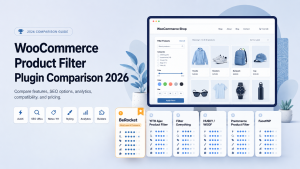
WooCommerce Product Filter Plugin Comparison 2026
Compare the best WooCommerce product filter plugins in 2026: BeRocket, YITH, Filter Everything, HUSKY/WOOF, Premmerce, and FacetWP. See AJAX filtering, SEO URLs, filtered page meta, styling, analytics, builder compatibility, large catalog notes, and pricing position.
Read More
Product labels, what is it? Why do we use them? What is the difference between real labels and online store labels? Have you thought about product labels before? What value do they fulfill in our life? How can they be useful to us? In this article, we’ll tell you about labels and show you how […]
Read More
Product Preview. How to add it into your site?
How often do you looking for something from products in online store? How many products you are look? Many products, many pages and so lazy to open each product in new page. Do you know this lazy feeling? Sure, if you just a site visitor, you can’t anything do with store, but if you are […]
Read More